 iCentre
 Student discount · iCentre
iCentre – 7% student discount
iCentre: 7% student discount for verified students – For Mac devices. Free activation in the Diverzum app.
How to Use?
This discount is available for users studying in higher education with a valid student ID. The coupon can be used on the listed full-price MacBook models. The discount cannot be combined with other coupons, and only one coupon code can be used per order. The discount is valid until 30.10.2026.
The discount can be applied to the following products:
13" MacBook Neo: A18 Pro chip, 6-core CPU, 5-core GPU, 8GB RAM, 512 GB - Blush / Citrus / Indigo / Silver
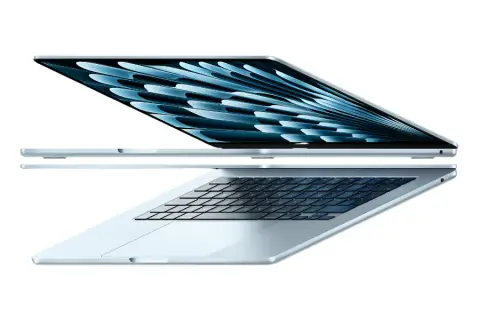
13-inch MacBook Air: Apple M5 chip with 10‑core CPU and 10‑core GPU, 16GB, 1TB SSD - Midnight / Silver / Sky Blue / Starlight
13-inch MacBook Air: Apple M5 chip with 10‑core CPU and 10‑core GPU, 24GB, 1TB SSD - Midnight / Silver / Sky Blue / Starlight
15-inch MacBook Air: Apple M5 chip with 10‑core CPU and 10‑core GPU, 16GB, 1TB SSD - Midnight / Silver / Sky Blue / Starlight
15-inch MacBook Air: Apple M5 chip with 10‑core CPU and 10‑core GPU, 24GB, 1TB SSD - Midnight / Silver / Sky Blue / Starlight
15-inch MacBook Air: M5 chip, 10-core CPU, 10-core GPU, 16GB RAM, 512GB SSD - Midnight / Silver / Sky Blue / Starlight
You can redeem the discount both online and in stores!
How to redeem the discount online:
Swipe the slider to redeem, then wait for the page to redirect.
Browse the Mac models as you like.
Log in to your iCentre account or register!
At checkout, under Discounts, click on Coupon, paste the code you received into the Coupon code field, and click Redeem.
Complete your order, and you’re done!
Send both sides of your student ID to [email protected] with your order number. Include in the email subject: “Student discount - your order number”, where your order number is the number from your order confirmation, and paste photos of both sides of your student ID in the email.
The discount will be applied after eligibility is verified.
If you want to buy several different products from iCentre with a discount, please place separate orders, as only one coupon code can be used per order.
How to redeem in stores:
Choose the Mac model you want to buy.
Swipe the slider to redeem.
Show the coupon code and your valid student ID at the checkout.